1. Confirm structure before drilling
Find the actual mounting structure and verify that it can support the screen assembly. The correct anchors depend on the wall or ceiling material. For a large motorized screen, following the manufacturer's mounting instructions — or using a qualified installer — is more important than copying a generic fastener list from the internet.
2. Mark the image area and cassette
Use painter's tape to mark the intended visible image plus the cassette footprint. Check door swings, curtains, speakers, shelves and how low the screen needs to drop. This simple mock-up catches many fit problems before hardware goes up.
3. Align for UST geometry
A UST image is sensitive to screen level and surface flatness. Get the screen square and level first, then position the projector. Avoid trying to compensate for a crooked screen with extreme digital keystone correction.
4. Plan power and controls
Know where the screen's power cable exits and how you will access the wall switch, remote or trigger controls. A clean cable path is part of the finished installation, not an afterthought.
5. Set and test the stopping height carefully
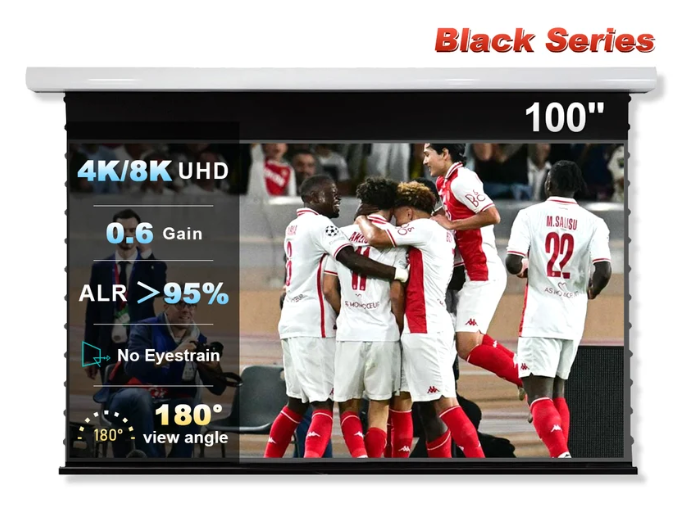
If the model allows a memory or suspended stop position, start conservatively and follow the manufacturer's adjustment procedure. The NothingProjector product page specifically warns against casual manual adjustment of the black-border setting because incorrect adjustment can cause ripples or deformation.
Frequently asked questions
Can I install a large motorized screen by myself?
Large cassettes are awkward and heavy. A two-person installation or professional help is often the safer practical choice.
Should I use keystone correction to fix alignment?
Physical alignment is preferable. Heavy digital correction can reduce usable image resolution and does not fix a wavy screen.
Why does level matter so much with UST?
The steep projection angle makes geometry errors more visible than with many conventional projector setups.
Research note
Product-specific facts on this page were checked against the NothingProjector product listing and related manufacturer listings on September 16, 2026. Where we discuss fit, trade-offs or room design, that is editorial analysis rather than a claim of hands-on testing. Live merchant details can change.